Manage Every MT5 Account From One Place.
Manage MT5 accounts independently of any broker and get a clear, real-time view of your trading operation.
See Everything at a Glance
An overview of your accounts, totals across every period, and your profit and loss, without opening a single terminal.
Swipe the screen sideways to see the full interface.
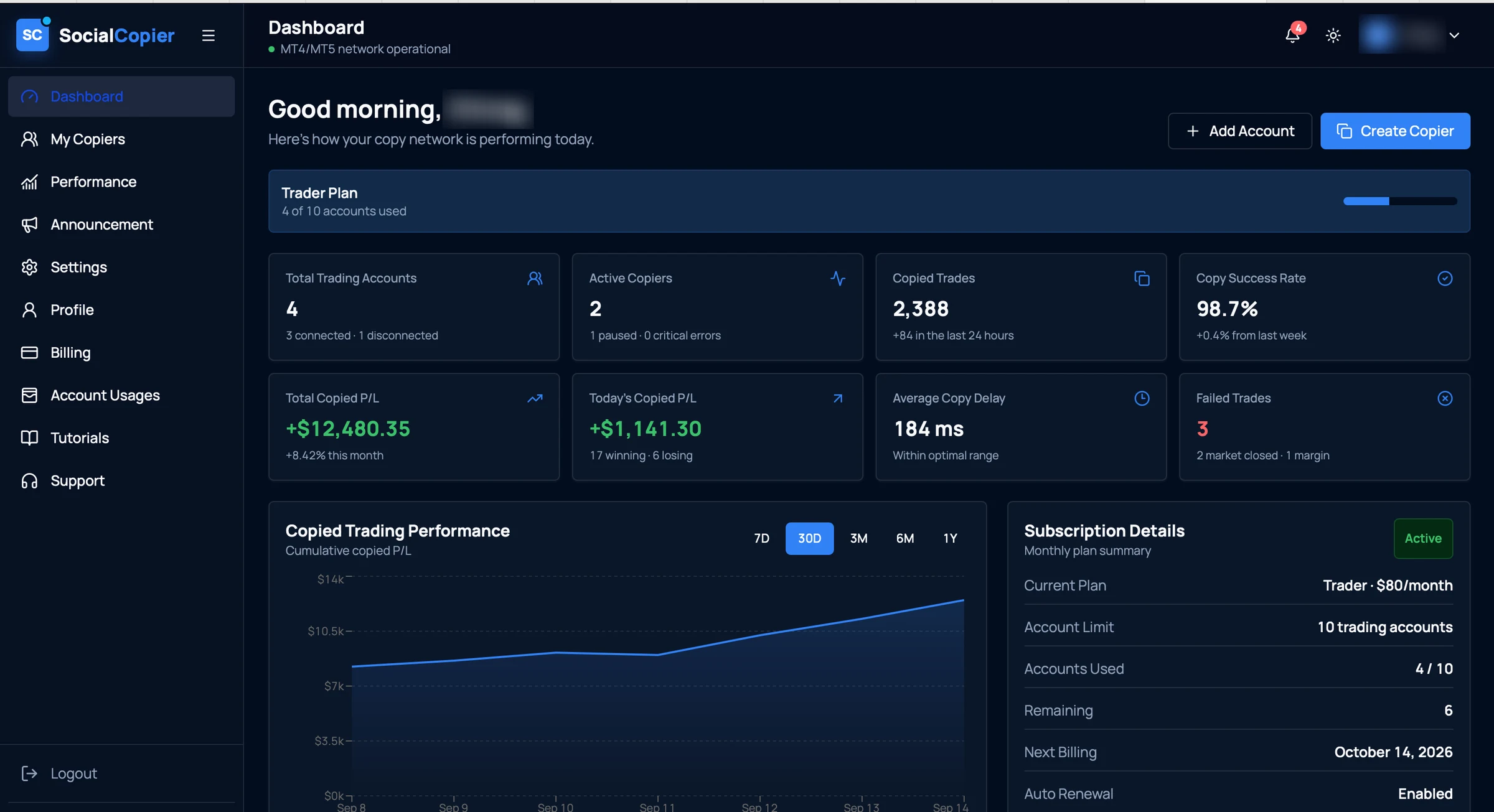
- 01Account capacityHow many of your plan's trading accounts are in use.
- 02Connected accountsEvery account you've added, and which of them are currently connected.
- 03Copy success rateThe share of copy attempts that completed, with the change on last week.
- 04Copied P/LTotal and same-day copied profit and loss, with winners against losers.
- 05Copy healthAverage copy delay and any trades that failed, with the reason.
- 06Performance over timeCumulative copied P/L across 7 days to 1 year.
A real screen from the application. The account holder's name is blurred; figures are that account's own.
Built to Answer ‘How Is Everything Doing?’
The information you would otherwise collect by opening each terminal in turn, gathered into a single view.
- Concept
Manage Accounts Independently
Accounts are managed from one workspace rather than one terminal each, across different brokers.
- MT5Account AConnected
- MT5Account BConnected
- MT5Account CConnected
- From the app
Everything at a Glance
How many accounts you have and how many are connected, without opening each one.

- Concept
Real-Time Open Trades
Review the positions currently open across your accounts in one list.
Open tradesLive- XAUUSDBUY0.50
- EURUSDSELL1.00
- GBPUSDBUY0.25
- From the app
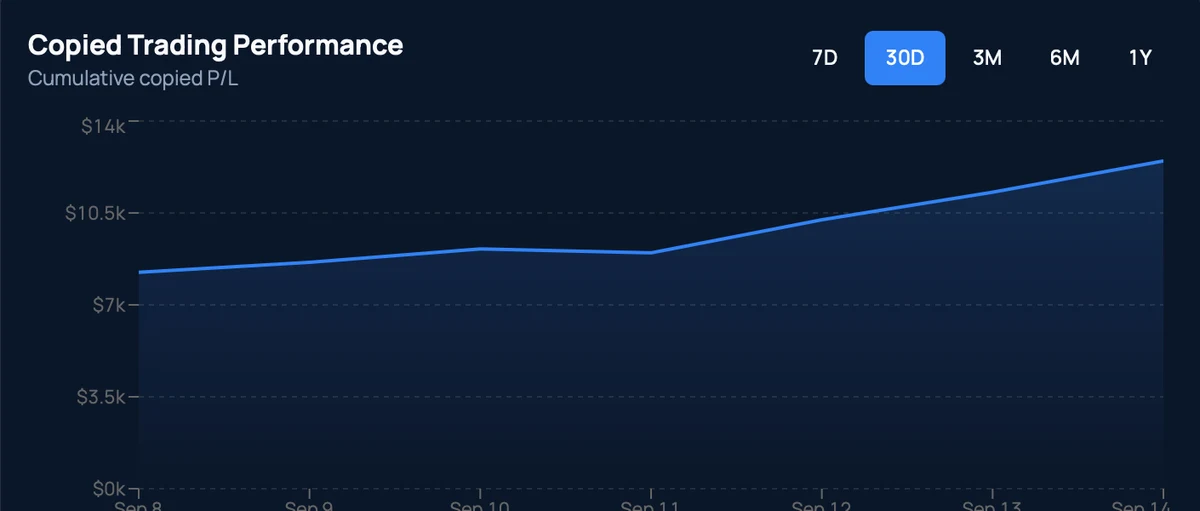
Daily. Weekly. Monthly.
Switch the performance view between 7 days, 30 days, 3 months, 6 months and a year.
- From the app
Know Your Numbers Instantly
Total and same-day copied P/L, with how many positions won and how many lost.

- From the app
Watch Execution Health
Average copy delay and any failed trades, each with the reason it failed.

- Concept
Duplicate an Account
Reuse a configuration you've already set up instead of building it a second time.
Account AConfigurationDuplicateAccount A (Copy)Same configuration, new account - Concept
Start or Pause Accounts
Put an account on hold and start it again when you want it running.
Account statusACTIVEPause - Concept
Review Open and Closed Trades
Move between positions that are still running and ones that have finished.
Open tradesClosed trades- XAUUSD · BUY
- EURUSD · SELL
- Concept
Compare Accounts Side by Side
Put two accounts next to each other on the figures that matter to you.
FieldABEquity——Balance——P/L——Trades——
MetaTrader 5
Designed around supported MetaTrader 5 accounts.
Pairs With the Rest of the Platform
Once your accounts are connected, the copier and the equity rules work from the same list.
Your Trading Operation Starts Here.
Stop managing every account manually.
Bring account management, trade copying, equity monitoring, performance visibility, and real-time alerts together in one powerful platform.