One Trade. Multiple Accounts.
Distribute trading activity from a lead account to connected follower accounts using configurable copying rules.
Control how trades are distributed. See what was copied. Monitor every copier relationship.
Lead & Follower Accounts
Choose the account that provides the trading activity, then connect the accounts that receive it. Each copier pairs one source with one destination, so a lead reaches several accounts by running several copiers.
One source account, as many destination accounts as you configure. One copier each.
One copier per follower
- Follower AReceives copiesReceived
- Follower BReceives copiesReceived
- Follower CReceives copiesReceived
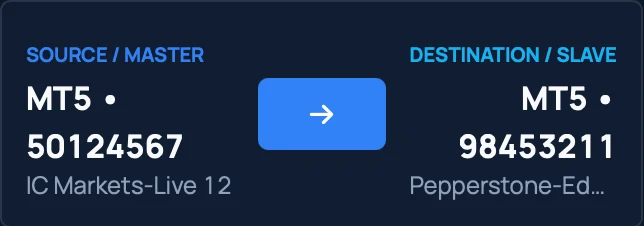
Every copier row names its source and its destination, with the broker for each.
- Copiers3Across 4 accounts
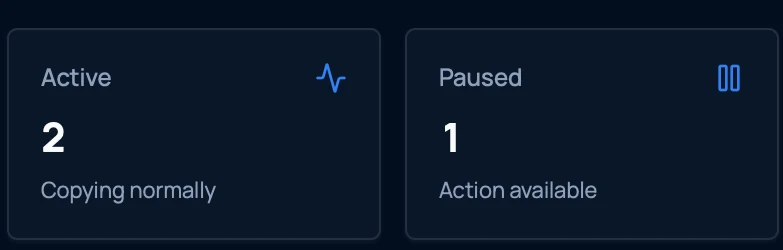
- Active2Copying normally
- Paused1Action available
- Copy errors0No critical errors
Position Sizing
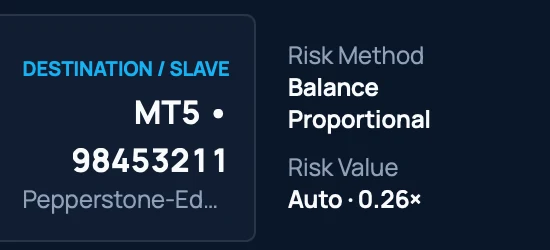
Control the size each destination account receives rather than repeating the lead’s volume everywhere. The configured setup uses three risk methods, each with its own value.
- Balance ProportionalAuto · 0.26×MT5 · Pepperstone
- Lot Multiplier0.50×MT4 · FP Markets
- Fixed Lot0.05 lotMT5 · Pepperstone
Three configured copiers, three different sizes, from the same lead trade.
The two multipliers scale against the lead. A fixed lot sets its own size regardless of it.
Copy Results
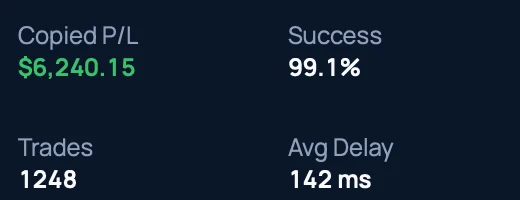
See what happened after a trade passed through the copier. Each one reports its copied profit and loss, how many trades it has handled, its success rate and its average delay.
- MT5 · Pepperstone ···3211Copied
- MT4 · FP Markets ···4620Copied
- Trades today
- 84
- Successful
- 81
- Copy errors
- 0
- Lead trade
- Copier
- Result
Of 84 trades today, 81 copied and 3 did not, each with its reason.
- Trades today84Across every copier
- Successful81Copied as configured
- Failed32 market closed · 1 margin
- Copy errors0No critical errors
Copier Status
See the state of every copier at a glance, so you know which are running and which are on hold. A copier is either Active or Paused, and you switch it from the row itself.
2 active · 1 paused · 0 copy errors
Status
- Active2
- Paused1
Those are the two states a copier can be in. Nothing else to interpret.

Your Copier Network at a Glance
See how your accounts and copiers connect, in one view. The configured setup runs three copiers across four accounts: one source feeding two destinations, and one destination fed by two sources.
3 copiers across 4 accounts · 2 active · 1 paused
- Accounts
- 4
- Copiers
- 3
- Active
- 2
- Paused
- 1
Two sources, three copiers, two destinations. One of them is fed by both sources.
One Row per Copier
Every copier relationship is a single row you can read at a glance: name, source, destination, risk method and value, copied P/L, trades, success rate, delay and status, with View, Pause or Resume on the same line.
One row is one copier, with its own source, destination, sizing and status.
- Source
- IC Markets ···4567
- Destination
- FP Markets ···4620
- Risk
- Lot Multiplier · 0.50×
- Copied P/L
- $4,188.20
One copier, read from a single row, with the same fields the full list shows.
- Name
- Created
- Status
- Source / Master
- Destination / Slave
- Risk Method
- Risk Value
- Copied P/L
- Trades
- Success
- Avg Delay
- View · Pause · Resume
Twelve fields on one line, so a copier can be understood without opening it.
Swipe the screen sideways to see the full interface.
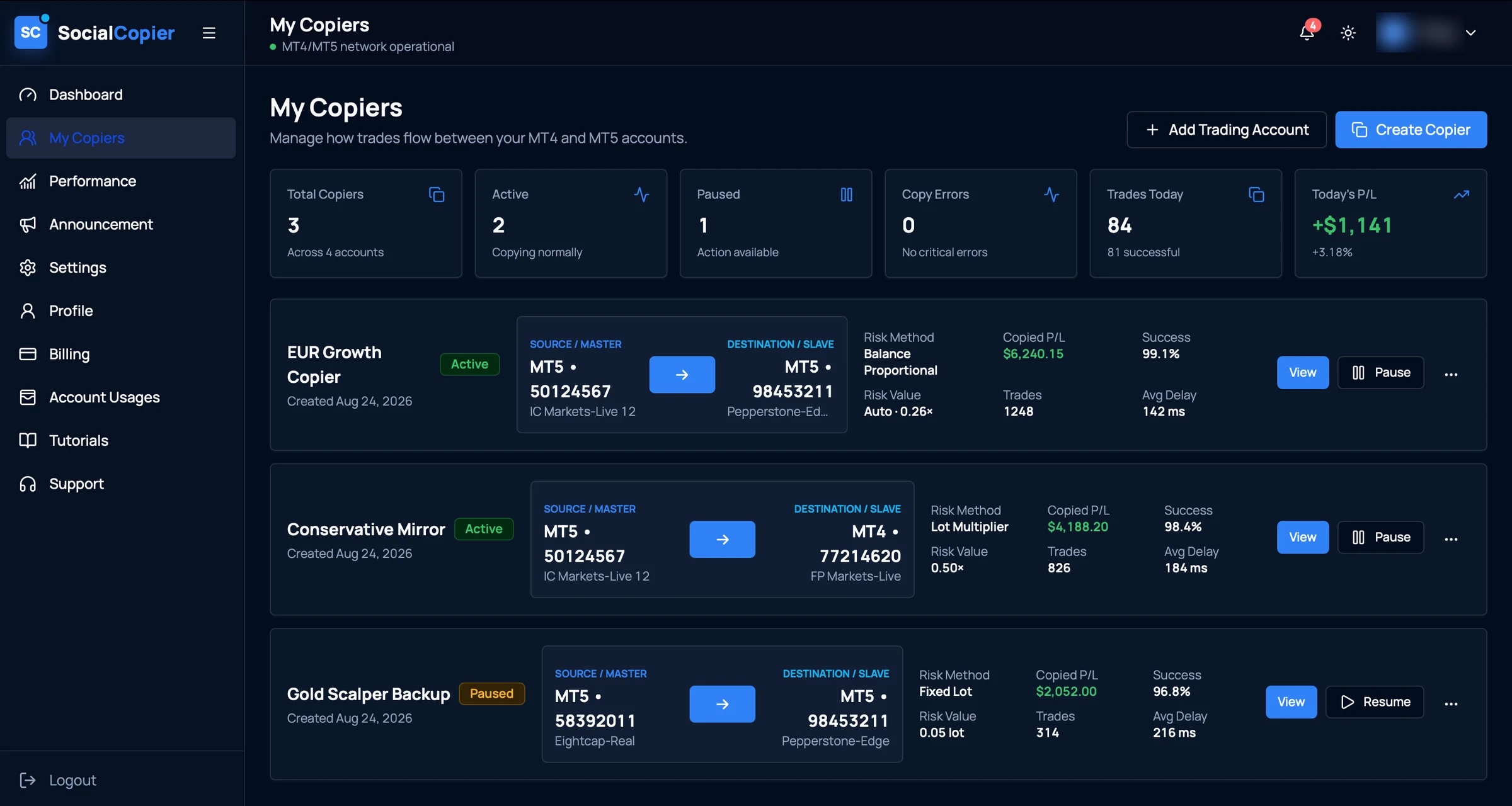
- 01Copier healthTotal copiers, how many are running or paused, and whether any errors need you.
- 02Source → destinationEach copier names the account trades come from and the account they go to.
- 03Risk methodBalance Proportional, Lot Multiplier or Fixed Lot, with the value it uses.
- 04Copier metricsCopied P/L, trades handled, success rate and average copy delay.
- 05Pause or resumeStop a running copier, or start a paused one again.
A real screen from the application. The account holder's name is blurred; figures are that account's own.
Copying behaviour depends on your configuration and on what the connected brokers support. Confirm behaviour for your own accounts before relying on it.
Pairs With the Rest of the Platform
Equity rules can disable copying when a threshold is reached. The two work together.
Your Trading Operation Starts Here.
Stop managing every account manually.
Bring account management, trade copying, equity monitoring, performance visibility, and real-time alerts together in one powerful platform.